Home
Platforms
Mobile

Stay Connected to the Market, Wherever You Are.

Track markets, monitor your portfolio, and stay updated — wherever you are.

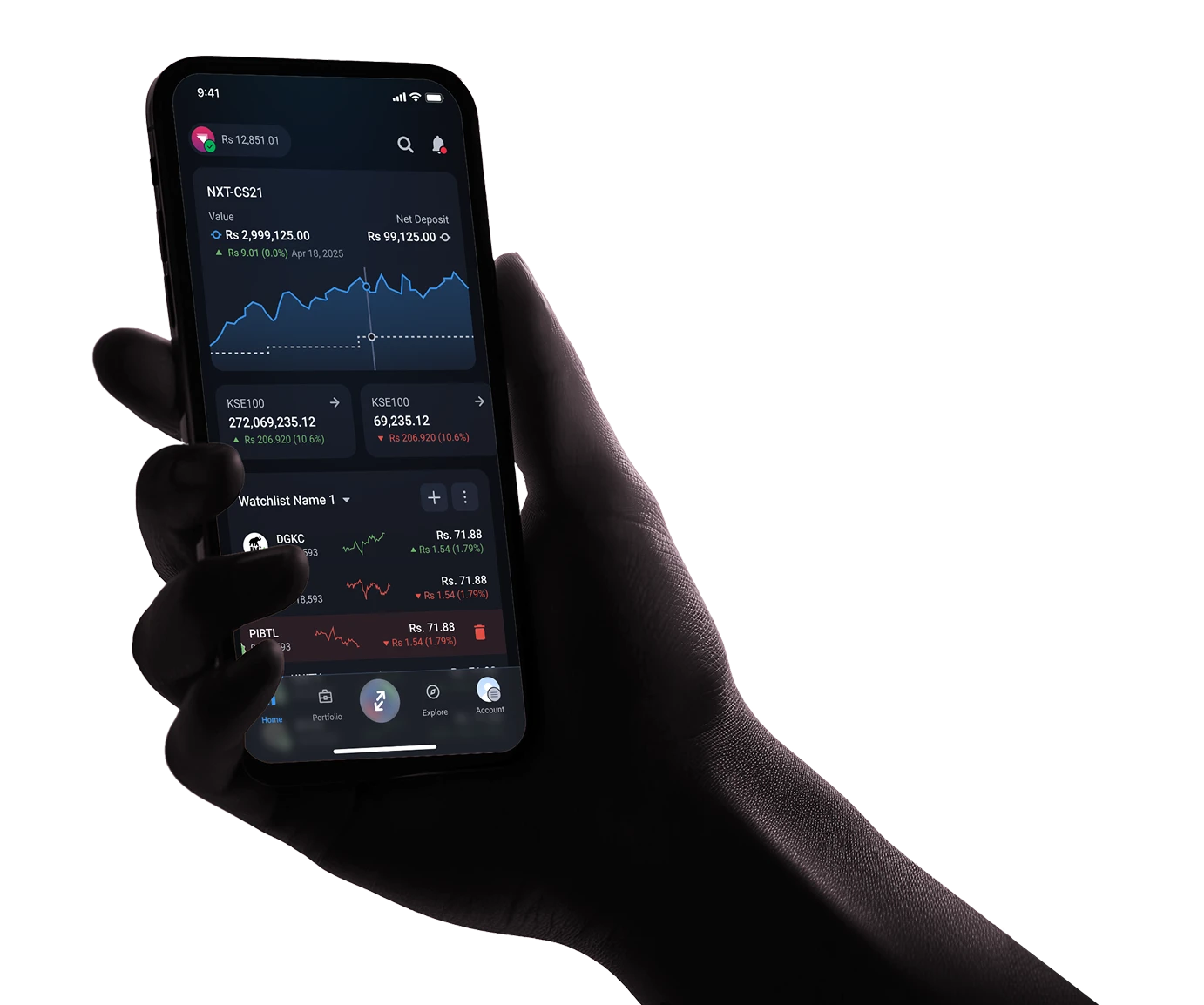
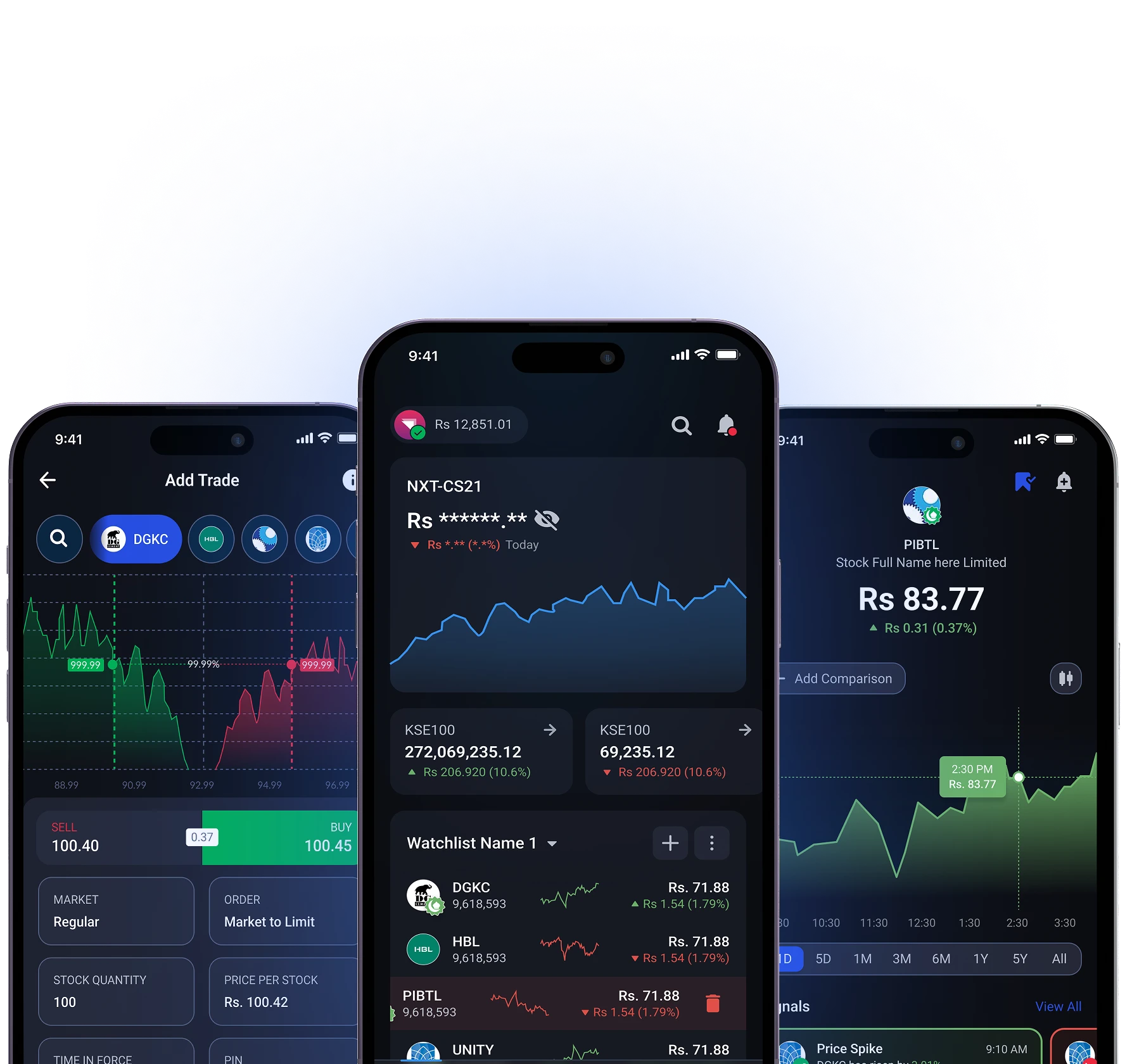
StockIntel Mobile App Preview

Trade Smarter. Stay Connected.

Monitor the market and your portfolio anytime, anywhere — without the complexity of a full trading terminal.

Portfolio at a Glance

Check your total value, P&L, and holdings in seconds.

Live Market Updates

View real-time prices and daily market movements on the go.

Alerts That Matter

Get notified about price changes and important market activity.

Quick Market Checks

Open the app, scan the market, and stay informed — fast.
StockIntel Mobile App

Designed for Everyday Use

The mobile app is built for quick checks, timely updates, and staying connected to the market — without slowing you down.

On the Go

Check your portfolio and market status anytime.

During Market Hours

Follow price movements and key changes in real time.

After Market Close

Review daily performance and plan ahead.

Research Investors

Stay informed without opening a full trading terminal.

Carry the Entire PSX in Your Pocket

Scan the QR code to download the app. Start your 30-day free trial, or open a partner broker account to unlock the premium mobile terminal completely free forever.

Frequently Asked Questions

Everything you need to know to get started and use StockIntel with confidence.

Is the StockIntel mobile app available for both iOS and Android?
Yes. StockIntel is available on the App Store for iPhone and on Google Play for Android phones. Both apps deliver the same real-time PSX data and trading capabilities, designed natively for the platform — not a wrapper around the web terminal.
How do I download the StockIntel app?
If you're on desktop, scan the QR code on this page with your phone's camera — it routes directly to the correct App Store or Play Store page. If you're already on your phone, tap the App Store or Google Play badges above to install directly.
What is the mobile app best suited for?
The mobile app is built for staying connected to the PSX wherever you are — portfolio glances during the day, instant alerts when something material happens, quick market checks between meetings, and reactive trading when you need to act on an alert immediately. For deep multi-panel research, advanced screening, and active intraday workflows, the desktop web terminal is purpose-built; mobile complements it rather than replacing it.
Can I see my full portfolio at a glance on mobile?
Yes. The Portfolio at a Glance dashboard is built specifically for mobile — open the app and your net worth, daily P&L, available cash, and CDC holdings across every connected broker appear immediately on the single screen. Biometric unlock (Face ID or fingerprint) means there's no password friction; you can check your positions in under three seconds from a locked phone.
Are the prices and market data on mobile real-time?
Yes. The mobile app streams the same real-time, tick-by-tick PSX market data as the desktop terminal — live prices, full Level 2 order book depth, KSE-100/KSE-30/KMI-30 index updates, and PUCARS announcements as they're filed. There's no data downgrade between platforms.
Can I execute trades from my smartphone?
Yes. The mobile app supports the full PSX order type set — Market, Limit, Stop Loss, and Off-Hour Orders (OHO) — across all connected brokers. When an alert fires or you spot a setup, you can route a trade to Munir Khanani Securities, Chase Securities, Yasir Mahmood Securities, or Zahid Latif Khan Securities without leaving the app. Multi-broker routing works identically to desktop — pick the broker from a dropdown on the order ticket.
Do I get push notifications for price alerts and market events?
Yes. Push notifications surface on your lock screen for everything that matters — price targets you've set, abnormal volume signals, PUCARS announcements on your watchlist scrips, and order execution confirmations. Configure exactly which events trigger notifications from inside the app, and they'll persist across devices: an alert you set on desktop fires on your phone when conditions are met.
What can I check quickly when I open the app?
The home screen is designed for instant context. The first thing you see is the KSE-100 index level, your portfolio's daily change, and a list of your watchlist scrips with live prices. From there you can open any individual scrip's full chart and order book. Most quick-check workflows — confirming a position, scanning performance, reviewing alerts — take under 10 seconds.
Can I view advanced charts on mobile?
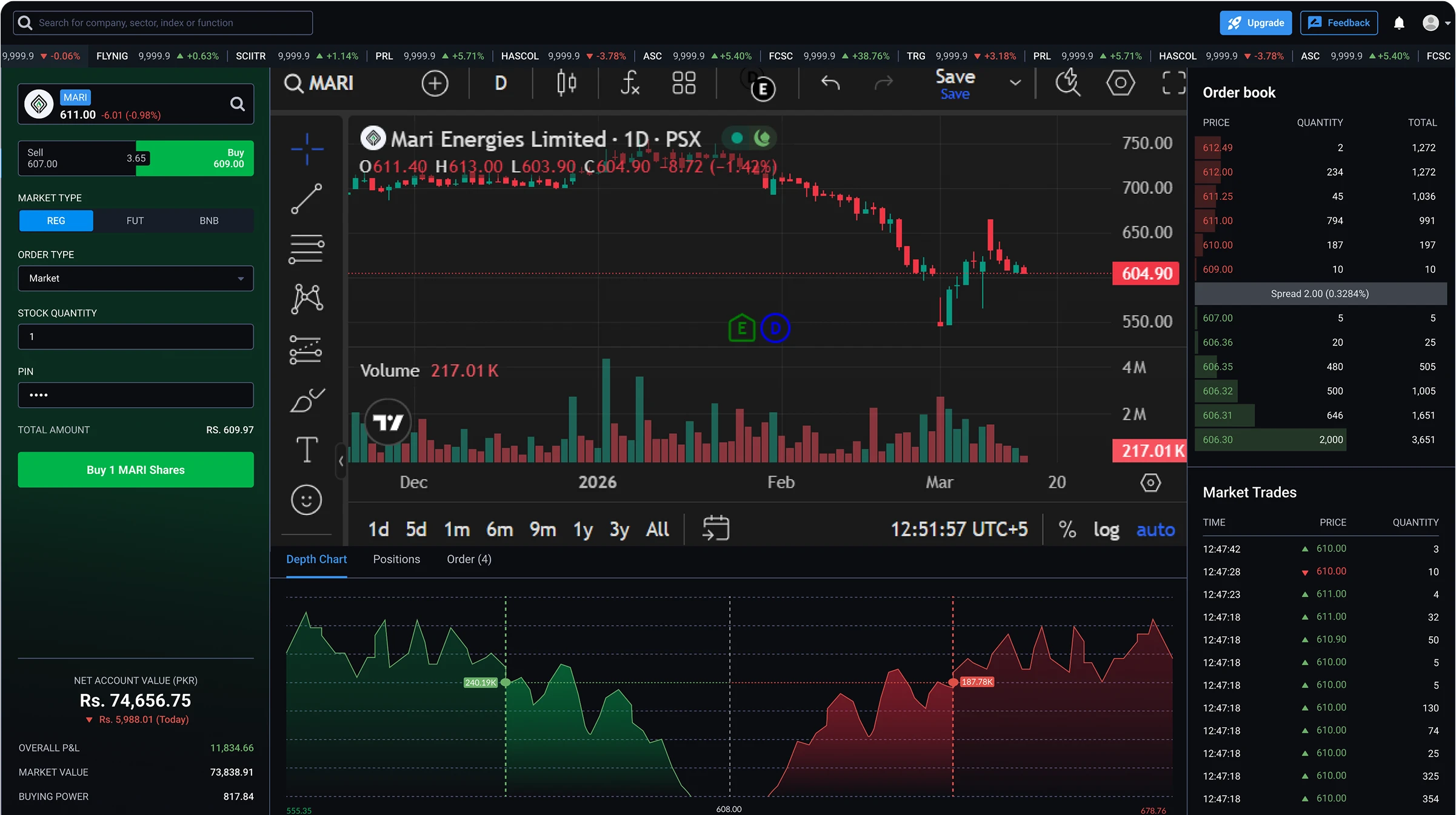
Yes. The full TradingView integration runs on mobile — all 100+ technical indicators, drawing tools, and timeframes from 1-minute to monthly. Touch interactions are optimized for the form factor: pinch to zoom, swipe to scroll, tap-and-hold to draw trendlines. For deep multi-panel chart analysis running 4–6 charts side-by-side, the desktop terminal is better suited; mobile is built for focused single-scrip analysis on the go.
What happens if my phone loses signal during a trade or while monitoring the market?
The app handles connectivity drops gracefully. If your network briefly fails, the interface and previously loaded data remain visible, and the app reconnects automatically when signal returns. Critical actions — open orders, executions, portfolio updates, alerts — are reconciled with broker and StockIntel servers on reconnect, so nothing is lost during the gap. Orders wait for a stable connection before confirming execution, so there are no fire-and-forget submissions that leave you uncertain about whether a trade went through.
Is it safe to trade through the mobile app?
Yes. StockIntel is non-custodial — your funds stay with your SECP-licensed broker and your shares stay in your CDC sub-account. The mobile app enforces biometric authentication on every launch (Face ID, Touch ID, or Android fingerprint) and automatic session timeout. Per-broker connections are revocable at any time from inside the app.
Is StockIntel free, and how does the 30-day trial work?
StockIntel starts with a 30-day free trial — full access to the mobile app, the desktop web terminal, and every feature, with no card details required to begin. After the trial ends, there are two paths to continued access:
  • Free, unlocked by a partner-broker account — Open a new trading account with one of our featured partner brokers — Munir Khanani Securities, Chase Securities, Yasir Mahmood Securities, or Zahid Latif Khan Securities — directly through StockIntel, and the full platform unlocks free of charge for as long as the account remains active.
  • Subscription, using your existing broker — If you prefer to keep your existing broker account, you can continue using StockIntel via a monthly subscription.