Home
Platforms
Desktop

The Advanced Multi-Broker Trading Terminal for Pakistan Stock Exchange (PSX)

Analyze 500+ companies, connect multiple brokerage accounts, and execute trades with zero lag—all in one desktop experience

Dashboard Preview

Built for Serious Trading

Access advanced trading tools, real-time market data, and powerful analysis — all in one focused desktop experience.

Advanced Stock Screening
Multi-factor filtering for 500+ PSX companies.

Discover opportunities with 150+ custom filters including dividend yield, sectoral momentum, and P/E ratios.

Deep Fundamental Analysis
25-year historical data and financial reports

Audit the past to predict the future. Access a decade of balance sheets, cash flow statements, and payout histories for every listed company.

Multi-Technical Charting
High-performance TradingView integration

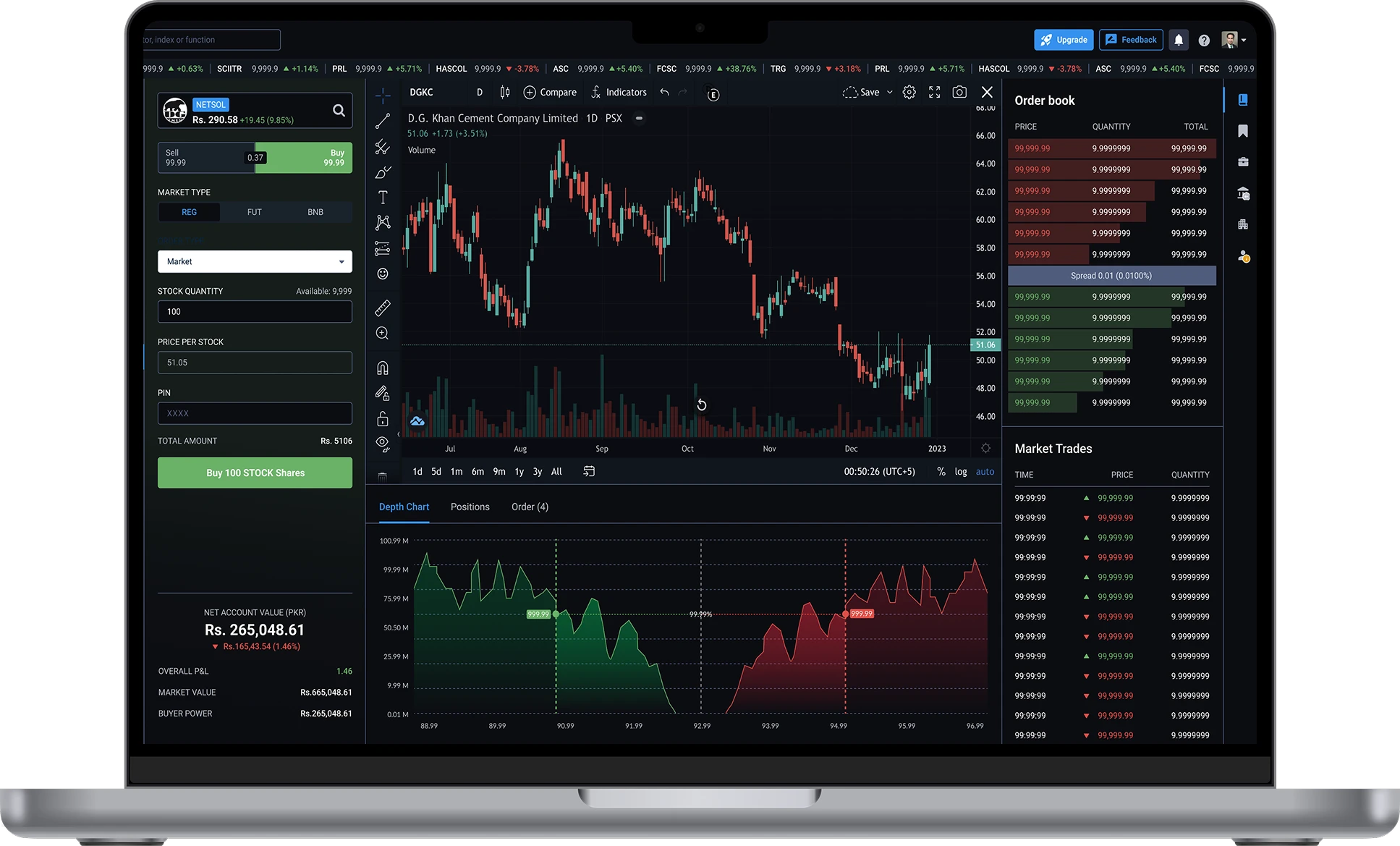
Monitor price action with 100+ indicators and real-time data feed. Optimized for multiple layouts on desktop setups

Trading & Portfolio Tracking
Multi-broker execution and consolidated P&L

Bridge the gap between research and action. Execute trades across multiple brokers and track your total net worth in one dashboard.
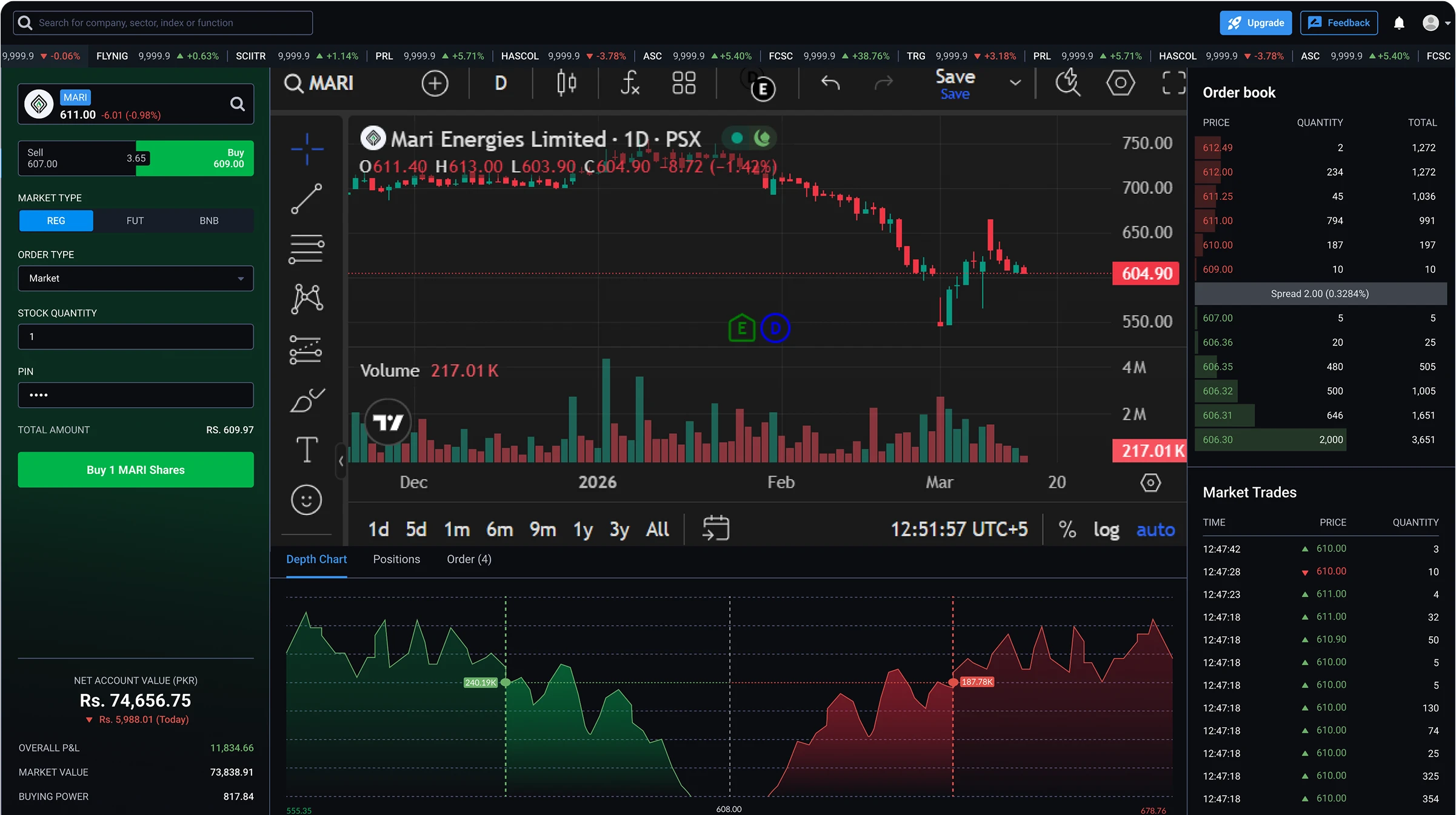
Desktop App Dashboard Preview
Laptop Dashboard Preview

Connected with Leading PSX Brokers

Trade through your existing brokerage accounts with direct connectivity to trusted PSX brokers.

Munir Khanani Securities
Chase Securities
Chase Securities
JS Global Online
JS Global Online
In Progress
ZLK Islamic
ZLK Islamic
In Progress
Yasir Mahmood Securities
Zahid Latif Khan Securities
Munir Khanani Securities
Chase Securities
Chase Securities
JS Global Online
JS Global Online
In Progress
ZLK Islamic
ZLK Islamic
In Progress
Yasir Mahmood Securities
Zahid Latif Khan Securities
Munir Khanani Securities
Chase Securities
Chase Securities
JS Global Online
JS Global Online
In Progress
ZLK Islamic
ZLK Islamic
In Progress
Yasir Mahmood Securities
Zahid Latif Khan Securities
Munir Khanani Securities
Chase Securities
Chase Securities
JS Global Online
JS Global Online
In Progress
ZLK Islamic
ZLK Islamic
In Progress
Yasir Mahmood Securities
Zahid Latif Khan Securities
Munir Khanani Securities
Chase Securities
Chase Securities
JS Global Online
JS Global Online
In Progress
ZLK Islamic
ZLK Islamic
In Progress
Yasir Mahmood Securities
Zahid Latif Khan Securities
Munir Khanani Securities
Chase Securities
Chase Securities
JS Global Online
JS Global Online
In Progress
ZLK Islamic
ZLK Islamic
In Progress
Yasir Mahmood Securities
Zahid Latif Khan Securities
Munir Khanani Securities
Chase Securities
Chase Securities
JS Global Online
JS Global Online
In Progress
ZLK Islamic
ZLK Islamic
In Progress
Yasir Mahmood Securities
Zahid Latif Khan Securities
Munir Khanani Securities
Chase Securities
Chase Securities
JS Global Online
JS Global Online
In Progress
ZLK Islamic
ZLK Islamic
In Progress
Yasir Mahmood Securities
Zahid Latif Khan Securities
Munir Khanani Securities
Chase Securities
Chase Securities
JS Global Online
JS Global Online
In Progress
ZLK Islamic
ZLK Islamic
In Progress
Yasir Mahmood Securities
Zahid Latif Khan Securities
Munir Khanani Securities
Chase Securities
Chase Securities
JS Global Online
JS Global Online
In Progress
ZLK Islamic
ZLK Islamic
In Progress
Yasir Mahmood Securities
Zahid Latif Khan Securities
Munir Khanani Securities
Chase Securities
Chase Securities
JS Global Online
JS Global Online
In Progress
ZLK Islamic
ZLK Islamic
In Progress
Yasir Mahmood Securities
Zahid Latif Khan Securities
Munir Khanani Securities
Chase Securities
Chase Securities
JS Global Online
JS Global Online
In Progress
ZLK Islamic
ZLK Islamic
In Progress
Yasir Mahmood Securities
Zahid Latif Khan Securities

Designed for Active PSX Traders

Whether you're a day trader or a long-term investor, our platform is built to empower your trading strategy.

Day Traders

Managing frequent trades with speed and precision.

Swing Traders

Tracking market moves and identifying opportunities.

Portfolio Managers

Monitoring multiple positions and asset allocation.

Research Investors

Using advanced analysis and charting tools.

Command the Market from your Desktop.

Analyze the market with institutional-grade depth. Connect with Pakistan's leading brokers. Track your entire PSX portfolio. All within one high-performance desktop command center.

Frequently Asked Questions

Everything you need to know to get started and use StockIntel with confidence.

What makes the StockIntel desktop terminal different from the mobile app?
The desktop web terminal is built for workflow density — the kind of multi-panel, screen-real-estate-heavy setup that mobile fundamentally can't deliver. On desktop you get simultaneous panels (chart + order book + portfolio + screener visible at once), multi-monitor support with detachable windows, keyboard shortcuts including hotkey order entry, deeper screener and historical data views, and bulk-export of 20+ years of standardized PSX data for offline modeling. Mobile is built for monitoring and trading on the go; desktop is where active intraday trading, fundamental research, and quantitative analysis actually happen.
Can I open multiple panels and charts on the same screen?
Yes. The desktop terminal supports a fully multi-panel workspace — display a chart, the Level 2 order book, your consolidated portfolio, the screener, and a watchlist simultaneously on a single screen. Compare Lucky Cement (LUCK) and Maple Leaf Cement (MLCF) in side-by-side charts while watching FIPI/LIPI flows update in a third tab and your consolidated portfolio P&L in a fourth.
Does the desktop platform support multi-monitor setups?
Yes. Panels and chart windows can be detached from the main interface and dragged to a second or third monitor, letting you build a true trading-desk environment. Run charts on one screen, the order book and execution interface on another, and research and screening on a third. The platform handles arbitrary monitor configurations and remembers your layout across sessions.
Can I place orders using keyboard shortcuts?
Yes. The desktop terminal supports full hotkey order entry — bind keys for buy, sell, quantity adjustment, order-type switching (Market, Limit, Stop Loss, OHO), and direct execution. Combined with hotkey navigation, the keyboard-driven workflow lets active intraday traders execute trades in fractions of a second. Full order type details are on the Trade page.
Can I save and reload custom chart layouts?
Yes. Save multiple chart layouts with their indicators, drawing tools, timeframes, and styling — separate templates for intraday scalping versus long-term swing trading, or different layouts per sector. Load any saved layout with one click. Chart layouts also sync to the mobile app, so the configuration you build on desktop is the same one waiting on your phone the next morning.
How does the desktop platform handle real-time data and order execution speed?
Real-time PSX market data streams over WebSocket directly from the exchange feed — tick-by-tick prices, full Level 2 order book depth, KSE-100/KSE-30/KMI-30 index updates, and PUCARS announcements arrive without aggregation or polling delay. Orders are routed through your broker's official API the moment you click or hit the hotkey, on the same execution path used by institutional desks.
Does the desktop platform give me deeper access to the screener and historical data than mobile?
Yes. The desktop terminal exposes the full power of the 150+ filter screener — wider tables, more filter columns visible simultaneously, larger result sets, and richer side-by-side comparisons. The Historical Data Vault supports bulk export of 20+ years of standardized financial and price data to CSV or Excel directly from desktop, ready for DCF models, backtesting frameworks, or quantitative analysis in Python or R.
What features are available on the desktop terminal?
The full StockIntel feature set runs on desktop:
  • Multi-broker trading — connect multiple brokers and route orders from one interface (Trade)
  • Real-time market monitoring — live indices, heatmaps, PUCARS, abnormal activity signals (Monitor)
  • Fundamental analysis — 150+ filter screener and 20+ years of standardized data (Analyze)
  • Technical charting — full TradingView integration with 100+ indicators (Charts)
  • Institutional insights — insider transactions, FIPI/LIPI flows, NDM logs (Insights)
  • Consolidated portfolio — holdings, P&L, and cash balances across all connected brokers
Which PSX brokers can I connect on the desktop platform?
Currently supported: Munir Khanani Securities (TREC #084), Chase Securities (TREC #526), Yasir Mahmood Securities (TREC #294), and Zahid Latif Khan Securities (TREC #410). All are SECP-licensed PSX TREC-holders. You can connect multiple brokers simultaneously and route orders to any of them from the same interface — switch routing per-order with a dropdown. Additional broker integrations are in development.
Do my workspace, watchlists, and chart layouts sync with the mobile app?
Yes. Chart layouts, watchlists, indicator templates, alert configurations, and connected broker accounts sync via cloud storage between the desktop web terminal and the iOS and Android apps. Draw a trendline or set an alert on desktop during evening analysis, and the same setup is waiting on your phone at market open. Sync is automatic and continuous.
Do I need to install anything to use the desktop terminal, and is it safe?
No installation required — the desktop terminal runs in your web browser on Windows, macOS, Linux, or ChromeOS. Any modern browser (Chrome, Safari, Firefox, Edge, Brave) works without special configuration. StockIntel is non-custodial — your funds stay with your SECP-licensed broker, your shares stay in your CDC sub-account, and the platform enforces mandatory two-factor authentication and automatic session timeout.
Is StockIntel free, and how does the 30-day trial work?
StockIntel starts with a 30-day free trial — full access to the desktop web terminal, including trading, screening, charting, portfolio tracking, and every other feature, with no card details required to begin. After the trial ends, there are two paths to continued access:
  • Free, unlocked by a partner-broker account — Open a new trading account with one of our featured partner brokers — Munir Khanani Securities, Chase Securities, Yasir Mahmood Securities, or Zahid Latif Khan Securities — directly through StockIntel, and the full platform unlocks free of charge for as long as the account remains active.
  • Subscription, using your existing broker — If you prefer to keep your existing broker account, you can continue using StockIntel via a monthly subscription.